
Sell the series, not the single earring.
Jewellery is designed in series and sold one product page at a time. Shoppers look for a ring they saw in a photo, compare tiny details and rarely see the necklace that goes with the earrings. Koral connects the pieces from your feed.
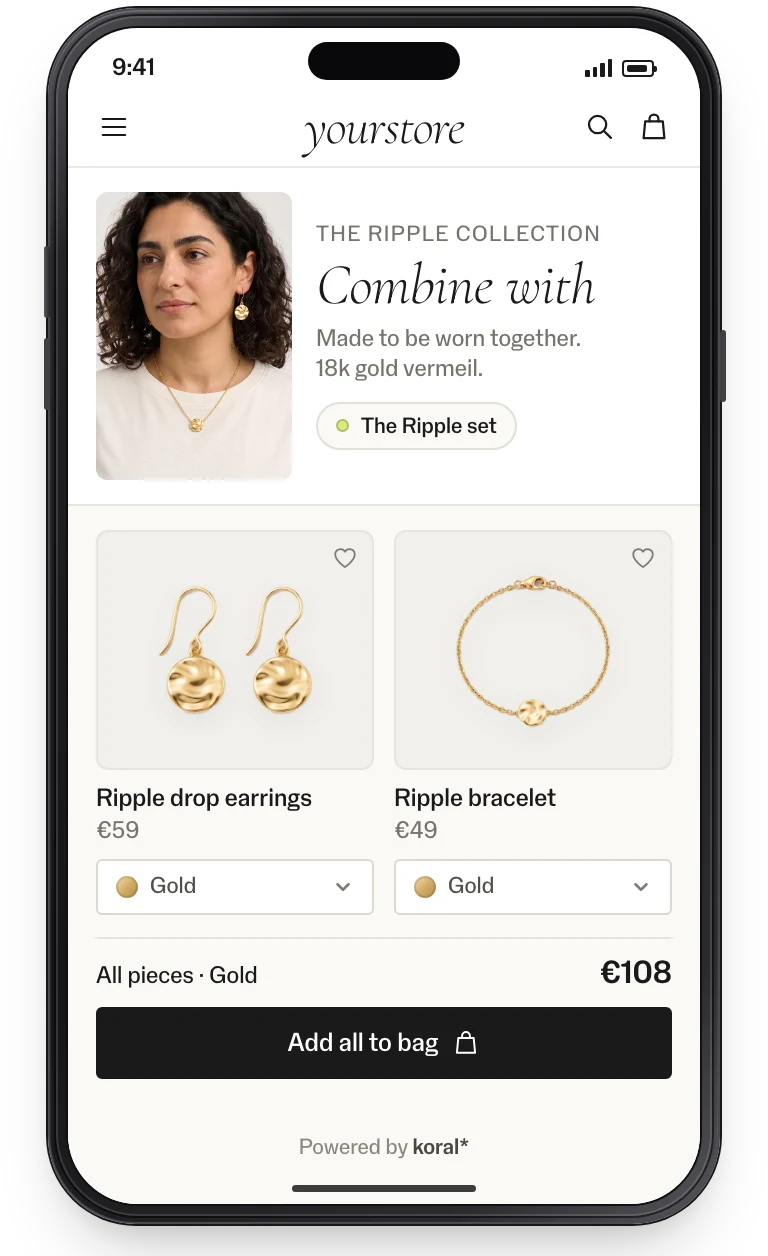
Small pieces, bigger baskets.
-
The matching necklace is three pages away.
01 / 05Matching setsKoral shows every piece of a series on every other piece. Each colour variant gets its own set, matched on colour and material: gold with gold, silver with silver.
- Product page
- Added-to-basket step
- Basket
-
They saw the ring in a photo.
02 / 05Image searchShoppers draw around the ring or the watch in the photo, and the rest of the image is ignored.
- Search bar
- Product page
-
The details decide the sale.
03 / 05Detail viewEnlarged imagery, colour variants and the description inside the widget, so shoppers look closer without losing their search.
- Product page
-
A watch needs a strap, and silver needs care.
04 / 05Complementary productsThe parts and add-ons that belong with each piece: under the buy box, in the basket and after the purchase.
- Product page
- Basket
- Mail flow
-
Jewellery finishes an outfit nobody shows.
05 / 05Bundles & Finish the lookIn a fashion range, Koral puts jewellery into the complete looks it builds around each product.
- Product page
- Mail flow
Measured on live sites.
Conversion in sessions that used visual discovery, 5× the site average of 1.6%.
Higher conversion than the site’s other product carousels.
More add-to-carts for shoppers who saw a matching set.
More sales from the baskets those sets created.
From the clients’ own analytics, A/B-split where possible.
Implementation: this is all it takes.
No model to train, no tagging, no CMS work. The product feed is the only input; the rest is a tag or an endpoint.
Feed connected
CSV, JSON or your platform feed. Koral indexes every image, in any language and any category.
Tag or endpoint wired
Add the tag through GTM, or call the endpoints from your own components. Your design, your markets.
Live and measured
Pilot on one category, A/B-split, with events in your analytics. Then roll out market by market.
99.9% uptime SLA. The script is served from a global CDN; requests are processed in the EU. Koral keeps nothing from shoppers: photos and data are used for the request and not stored. A data processing agreement (DPA) comes with every contract.
Frequently asked questions.
Yes. Matching sets are built per colour variant and matched on colour and material, so a gold piece is shown with gold.
No. Koral reads your feed and images and finds the series itself, with no manual linking.
Yes. Every generated set can be reviewed in the dashboard, tested on live products and removed if it shouldn’t show.