
Sell the outfit, not just the piece.
Fashion shoppers arrive with a screenshot, leave when their size is gone, and buy one piece of a look that has five. Koral reads your product images and feed and turns each of those moments into a way to the basket.
- Live today
- Boozt: Image search, See similar, Matching sets and Complementary products
Where fashion sales stall, and what moves them.
-
They saw it on someone and can’t describe it.
01 / 07Image searchShoppers upload a screenshot or use the camera. Koral detects each garment in the photo, the shopper taps the one they want, and a few words narrow the result: “in black”, “cheaper”.
- Search bar
- Listing page
- Product page
-
Their size is sold out.
02 / 07Similar in the same sizeA button on the sold-out size shows similar pieces that are in stock in the shopper’s size, so the size grid is no longer where the visit ends.
- Product page
- Sold-out sizes
-
One piece in the basket, when the set has three.
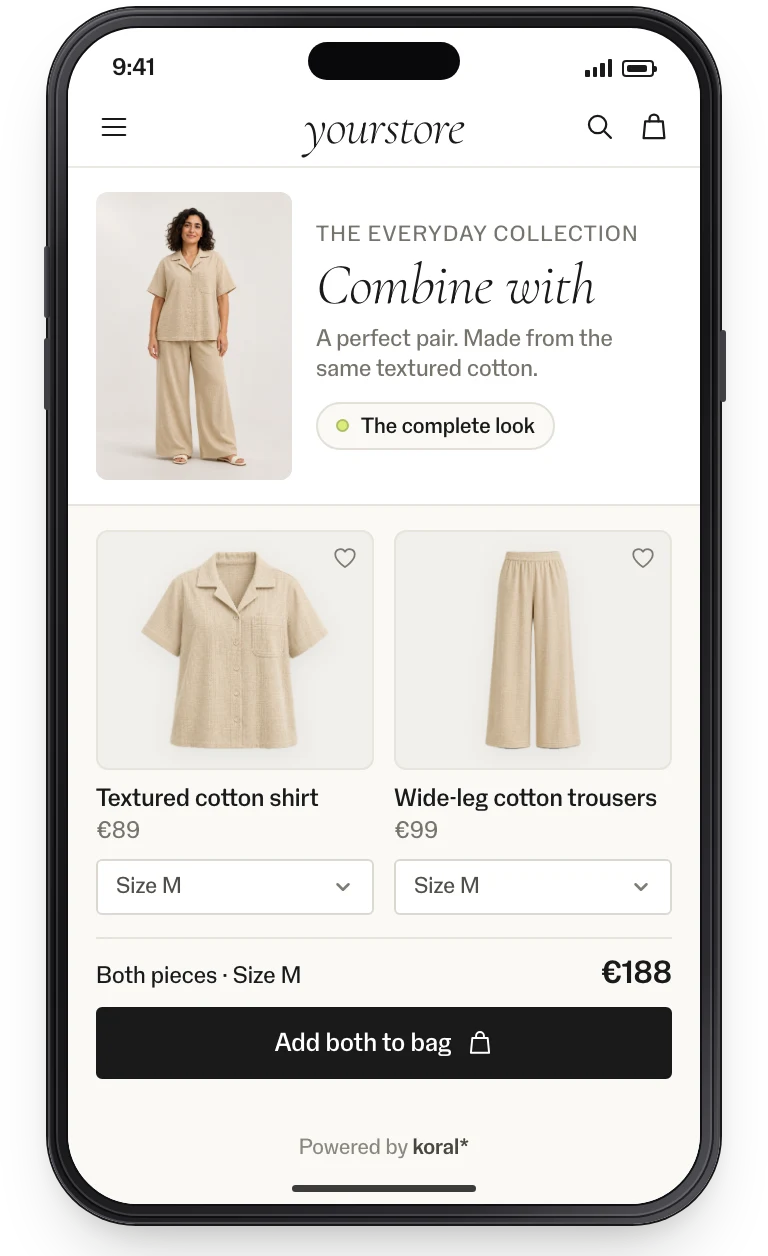
03 / 07Matching setsCo-ords, suits and swimwear: Koral shows the matching pieces on every piece, per colour variant, and across brands when one brand’s series stops.
- Product page
- Added-to-basket step
- Basket
-
Nobody shows how to wear it.
04 / 07Bundles & Finish the lookFive complete outfits per product, and one look that finishes the piece in view, season-aware and in stock in the shopper’s size.
- Product page
- Basket
- Mail flow
- Campaign & editorial
-
The model image inspires, but links one product.
05 / 07Shop similar lookOn model images in the gallery, Koral finds every piece the model wears, from your own catalogue.
- Product gallery
-
“Will it look right on me?”
06 / 07Virtual try-onThe whole outfit on the shopper’s own photo or on an avatar, with avatars for all body types.
- Product page
- Assistant
-
They know the occasion, not the products.
07 / 07AI StylistShoppers share inspiration photos, occasion, season and budget, and get up to five looks from your range, ready to try on and buy.
- Assistant
Implementation: this is all it takes.
No model to train, no tagging, no CMS work. The product feed is the only input; the rest is a tag or an endpoint.
Feed connected
CSV, JSON or your platform feed. Koral indexes every image, in any language and any category.
Tag or endpoint wired
Add the tag through GTM, or call the endpoints from your own components. Your design, your markets.
Live and measured
Pilot on one category, A/B-split, with events in your analytics. Then roll out market by market.
99.9% uptime SLA. The script is served from a global CDN; requests are processed in the EU. Koral keeps nothing from shoppers: photos and data are used for the request and not stored. A data processing agreement (DPA) comes with every contract.
Frequently asked questions.
Yes. Matching sets continue across brands when a series stops, and the rules engine handles brand exclusions, price bands, stock and margins.
No. Koral reads the product images and your feed, so new arrivals work from the day they enter it. There is no model to train.
Yes. Bundles are season- and trend-aware, and you set colour contrast, brand mix, accessories and price span.